
Scorebug Feature Showcase v0.3.0
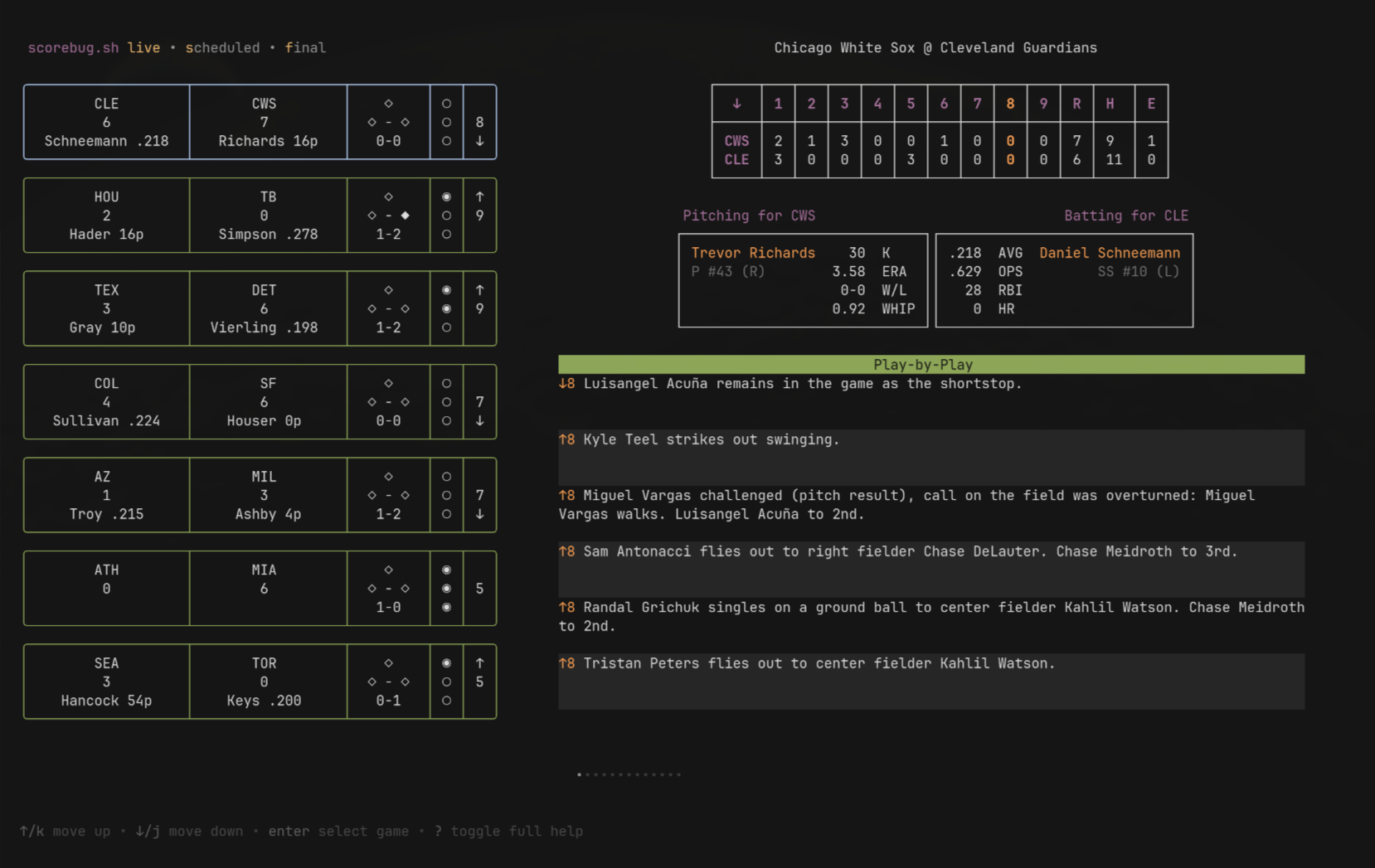 I’m happy to say that I have not only reached a point with Scorebug.sh where I feel I can step away for a little bit to reflect on what I have made so far, but also where I should be showing off its capabilities with the v0.3.0 release! Let’s check it out.
Schedule
Currently the first thing you land on when you run scorebug is the game schedule. This is where this whole project began, simply a way to render the scorebugs of all MLB games for the current day.
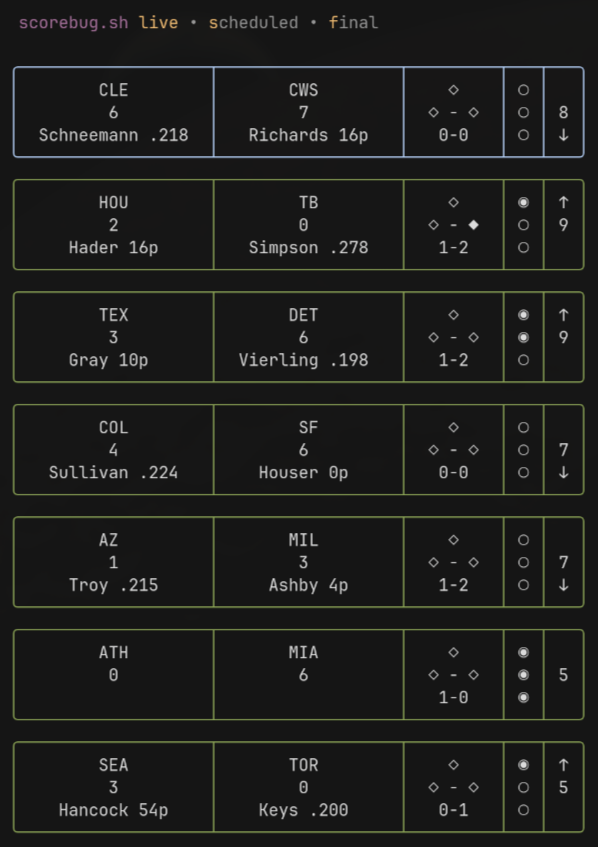
At the top, you can see the filters, where you can filter the schedule by game state: live, scheduled, and final. This is handy if you want to see what games are coming up for the day, or if you want to avoid being spoiled by a finished game.
You can highlight a specific game in the schedule using the up/down arrows or k/j keys, and pressing enter to select it.
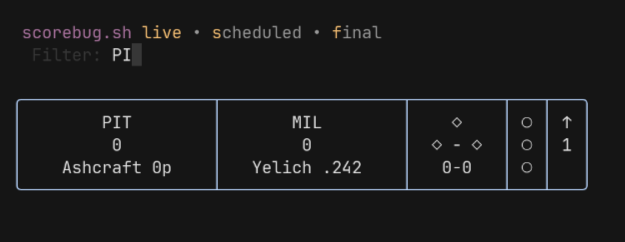
You can also filter the games by team abbreviation with the / key (team abbreviation is what represents the team in the schedule’s scorebugs). Currently this only applies within the game state filter that’s already selected, but I’m thinking I’ll want to add the ability to filter across all game states.
Game Details
After selecting a game, the game details viewport will open up, displaying some more fine-grained details about the game. These details will also update live, just as the scorebugs in the schedule do.
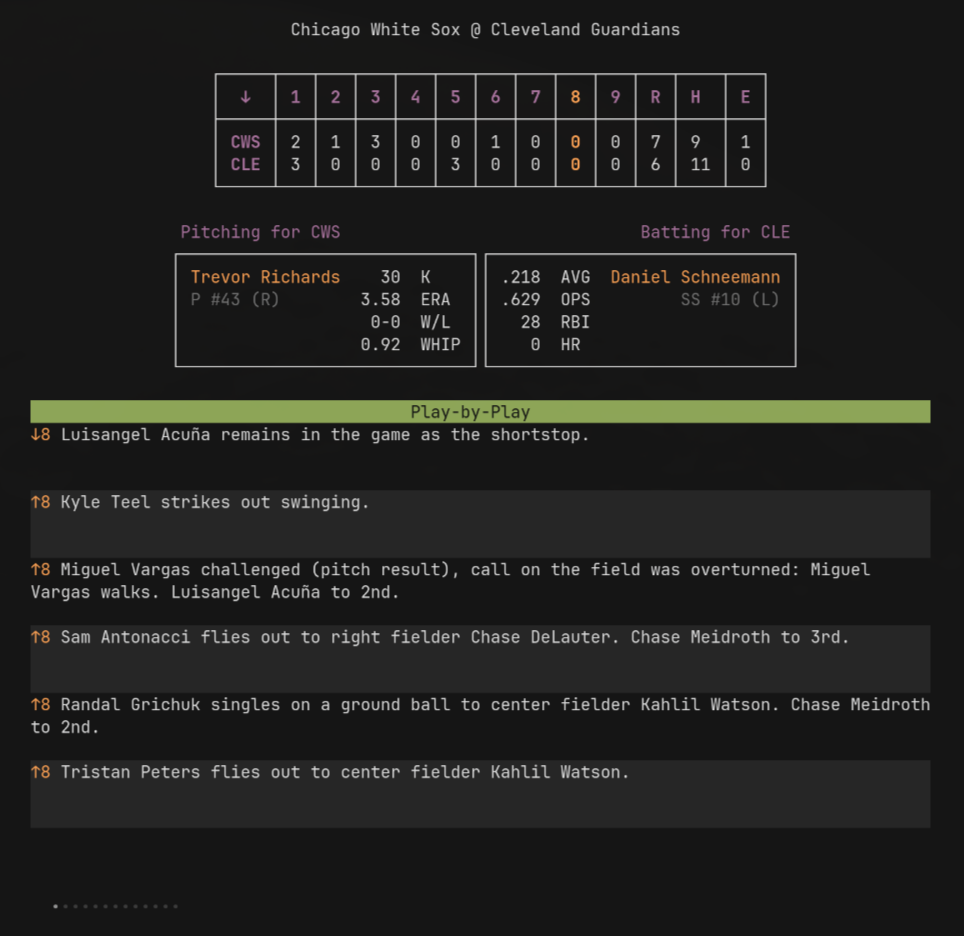 Here you’ll find the linescore, the current batter/pitcher matchup, and a play-by-play activity feed to get an understanding of what’s happening on the field.
Help Menus
The help menu at the bottom will show you the controls for everything I just mentioned above, while also allowing you to toggle a full help menu to show more options.
Future Plans
My next steps will likely be a UI/UX pass over what’s currently there. Some ideas I have include:
- Adding more info/enrichment to the play-by-play events.
- Fuzzy find for play-by-play events.
- Ability to hide the schedule after a game is selected.
- CLI commands to go straight to a game detail view for a specific team, or show just a single team’s scorebug.